SEUR
If you have a carrier contract with SEUR, you can integrate this shipping contract in Returnless. This way you can offer the SEUR shipping methods to your customers, while using your own negotiated rates.
How to install
To add a new SEUR shipping contract, follow these steps:
- Login to your Returnless panel
- Navigate to the Integrations menu.
- Click the Shipping contracts tab.
- Click the Add shipping contract button
- Click to add a new SEUR .
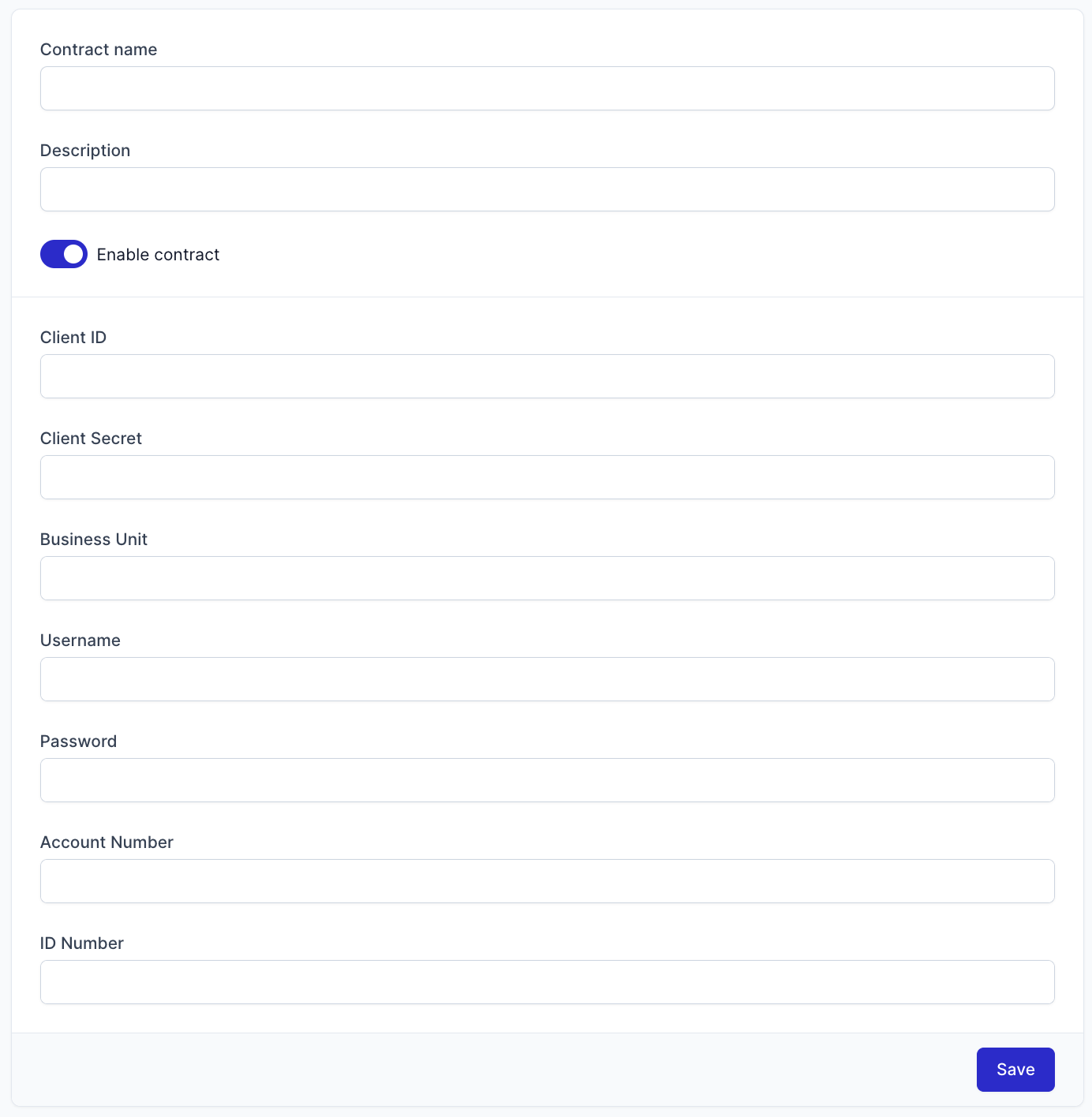
Here is the information to enter:
| Field | Description |
|---|---|
| Client ID | Your SEUR Client ID |
| Client Secret | Your SEUR Client Secret |
| Business Unit | Only the last two digits of the account number. |
| Username | Your SEUR Username |
| Password | Your SEUR Password |
| Account Number | 4 or 5 digit number without hyphen. Example: 12345. |
| ID Number | Your Contract number |
In order to obtain the above-mentioned credentials, please contact SEUR at staci@seur.net and include your Account manager at SEUR in copy of the email. You can also call +34 91 322 83 80. Make sure you request your ATLAS credentials for the Returnless Integration.
Important: Once your integration is saved it will be marked as Pending until it is activated. You will receive an email once the integration is active, only then will you be able to offer this shipping method to customers.