DHL Express
If you have a carrier contract with DHL Express, you can integrate this shipping contract in Returnless. This way you can offer the DHL Express shipping methods to your customers, while using your own negotiated rates.
How to install
To add a new DHL Express shipping contract, follow these steps:
- Login to your Return panel
- Navigate to the Integrations menu.
- Click the Shipping contracts tab.
- Click the Add shipping contract button to add a new DHL Express.
We require some fields to activate your contract. Please find more information about these requirements here:
| Field | Description |
|---|---|
| Username / Password | Make sure you're registered via the DHL developer portal. When you're logged in via the portal, you can request your credentials (username and password) via this link. Make sure to give access to third-party integration and fill in Sendcloud at Requestor name. |
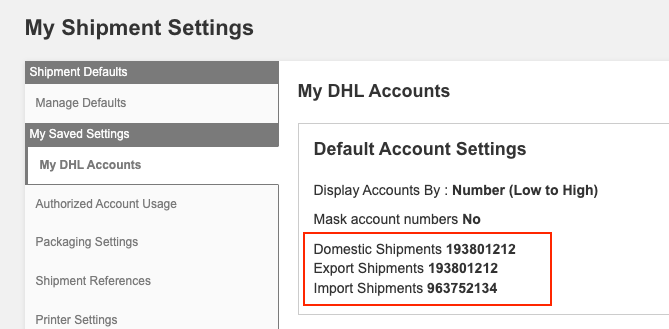
| Account ID Export / Account ID Import |
You can find your DHL Export Account ID and Import Account ID by logging into https://mydhl.express.dhl > MyBill. Here you can find your account numbers.
|