Correos
If you have a carrier contract with Correos, you can integrate this shipping contract in Returnless. This way you can offer the Correos shipping methods to your customers, while using your own negotiated rates.
In this article:
How to install
To add a new Correos shipping contract, follow these steps:
Collecting your credentials and information
The first step is to collect the information needed to install the integration on Returnless.
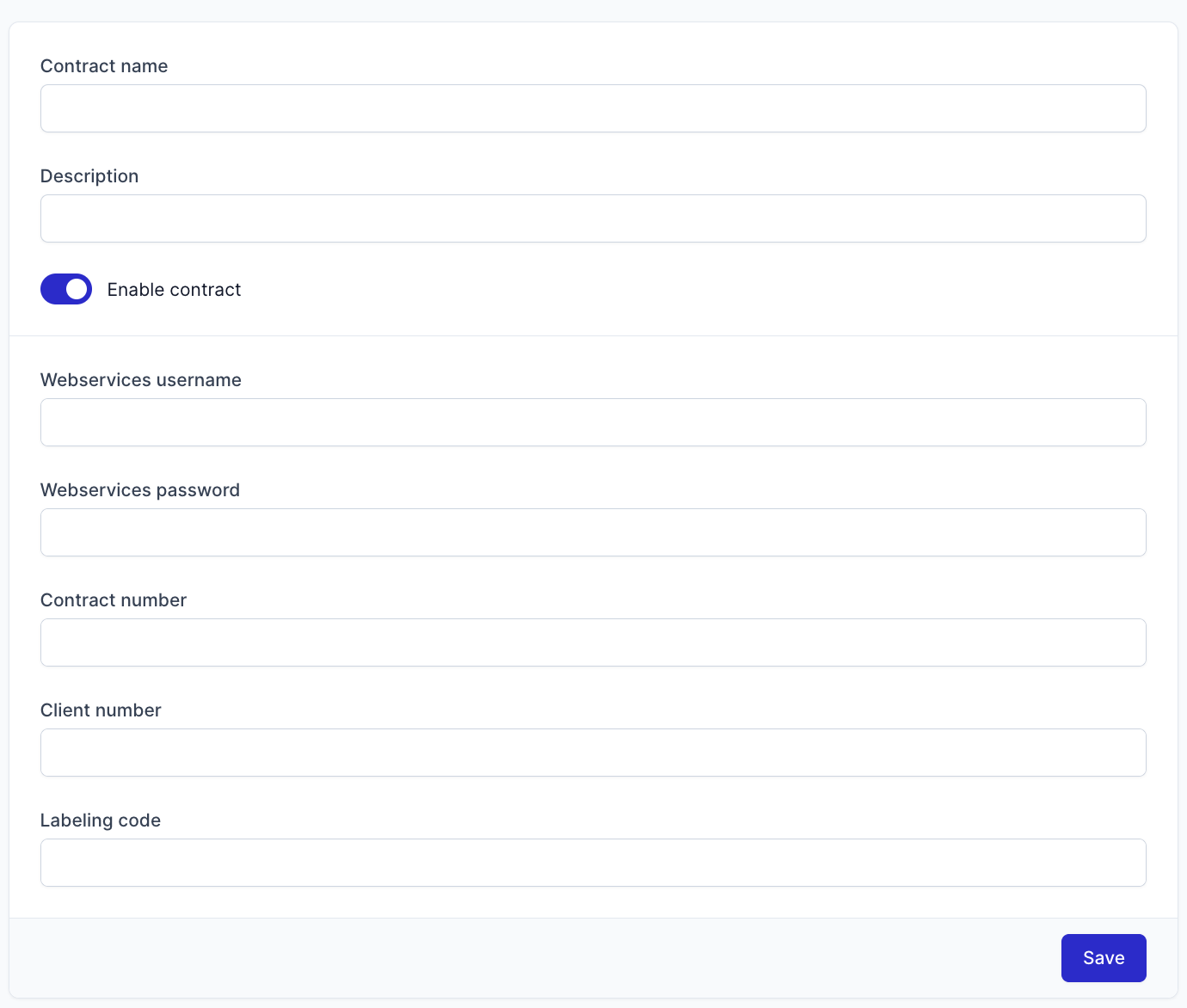
To gather your information, you need to contact your Correos account executive and ask for the following credentials, those are needed to setup the integration with Returnless:
- Cuenta de Cliente de Sistemas: Username for the webservices
- Contraseña: Password for the webservices
- Número de Contrato: Contract number
- Número de Cliente: Client number
- Código etiquetador: Labelling code
- Usuario de acceso en Mi Oficina: Email address that you use to access mioficina.correos.es
Receiving Emails from Correos
Once you have requested this information, you will receive three emails from correos@correos.com:
- Subject: Email account validation
Click on the link that is included in this email to get your Correos webservice key.
- Subject: Registration Webservice Pre-registration service
You will receive an email containing the following credentials:
- Cuenta de Cliente de Sistemas (aceso a webservices)
- Número de contrato
- Número de Cliente
- Código etiquetador
- Subject: Password Notification
This email will contain your webservice password
Add to Returnless
Once you have gathered the previous information, you can follow with the installation of your integration on returnless:
To add a new integration with Correos, follow these steps:
- Login to your Return panel and navigate to the Integrations menu.
- Click the Shipping contracts tab.
- Click the Add shipping contract button
- Add a new Correos contract