Sherpaan
By connecting a Sherpaan web store to Returnless, you can easily set up a return form for your Sherpaan web store.
In this article:
Features
| Feature | Available |
|---|---|
| Search order | ✅ |
| Create coupon | ❌ |
| Create refund | ❌ |
| Create gift card | ❌ |
| Create return | ✅ |
| Return importer | ❌ |
How to install
Setting up the integration between Sherpaan and Returnless
To create a new integration, follow these steps:
- Login to your Returnless panel
- Navigate to the Settings > Integrations page where you will find the E-commerce platform section.
- To add a new integration, select the Add new integration button.
- Select the Sherpaan integration. The following modal will open, asking you to enter the details to connect to your Sherpaan store.
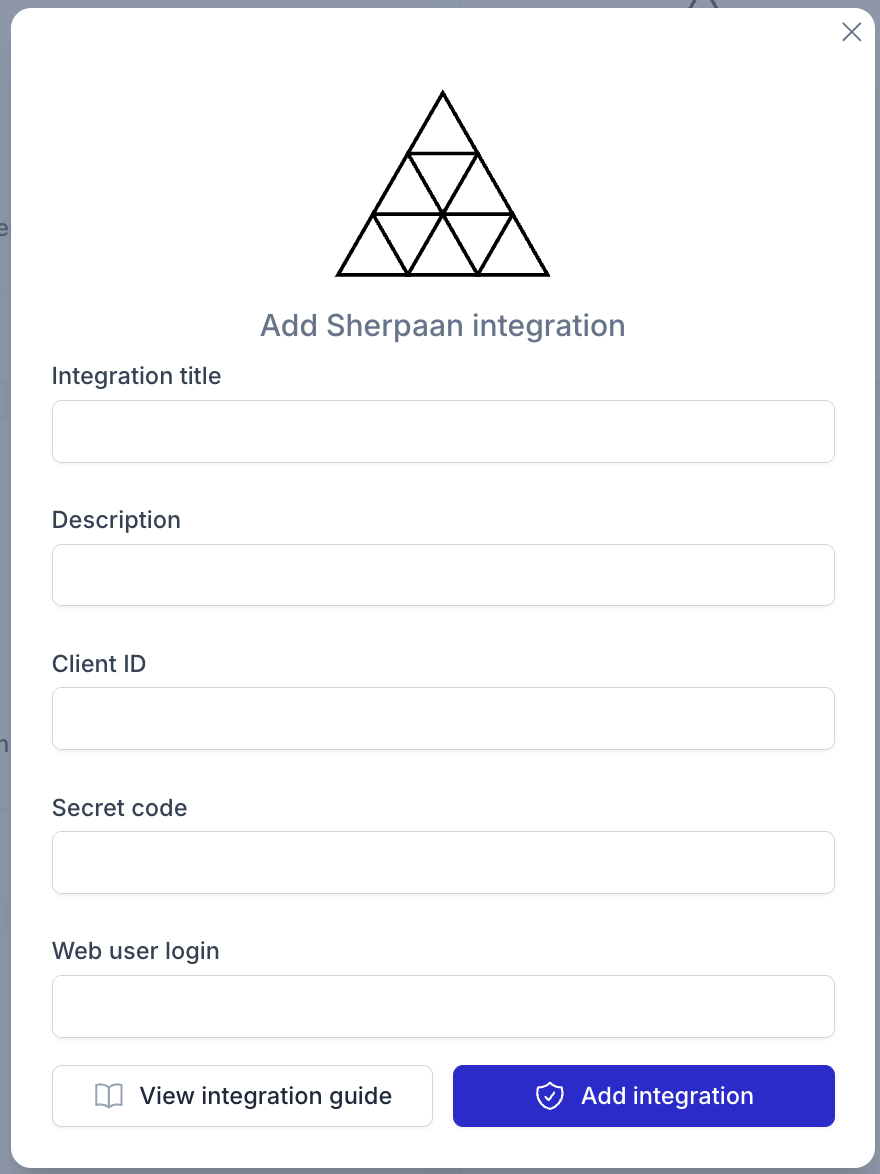
Activating the integration
To activate the integration, you will need to enable the integration in a return form. Follow these steps:
- Login to your Returnless panel
- Navigate to Settings > Return forms and open the applicable return form.
- Go to the Integrations tab and select the Sherpaan integration you've created in the previous step.