JTL Cloud
JTL Wawi is an ERP system designed for small and medium-sized businesses, especially those operating online stores. It integrates with multiple sales channels, manages inventory, orders, shipping, and offers financial reporting and customizability. You can connect your JTL Wawi using the JTL Cloud for a seamless integration.
Features summary
The platform integration with JTL Cloud offers the following features:
- Search order: Allow consumers to find their order in the Returnless return form.
- Create return: Returns are processed directly within JTL Wawi. This feature is available in JTL Wawi 1.10.10 or later.
The connect your JTL Wawi to the JTL Cloud, you need JTL Wawi version 1.10.12.0 or higher.
How to install
Please reach out if you want to start using the JTL Cloud environment. It is currently in closed beta.
General settings
After the integration is set up, the version of your JTL Wawi is shown in the platform version setting. If this version is not shown, make sure to click on Refresh integration data .
How to use features
By default, all features will be disabled for the integration. Make sure to activate the features you wish to use.
Activate features
In order to start using a feature, make sure to enable the integration in a return form.
To view the feature settings, follow these steps:
- Login to your Return panel and
- Navigate to Settings > Return forms and open the settings of the applicable return form.
- Go to the Integrations tab.
Here you will be able to define the default search integration and enable features.
Default search integration
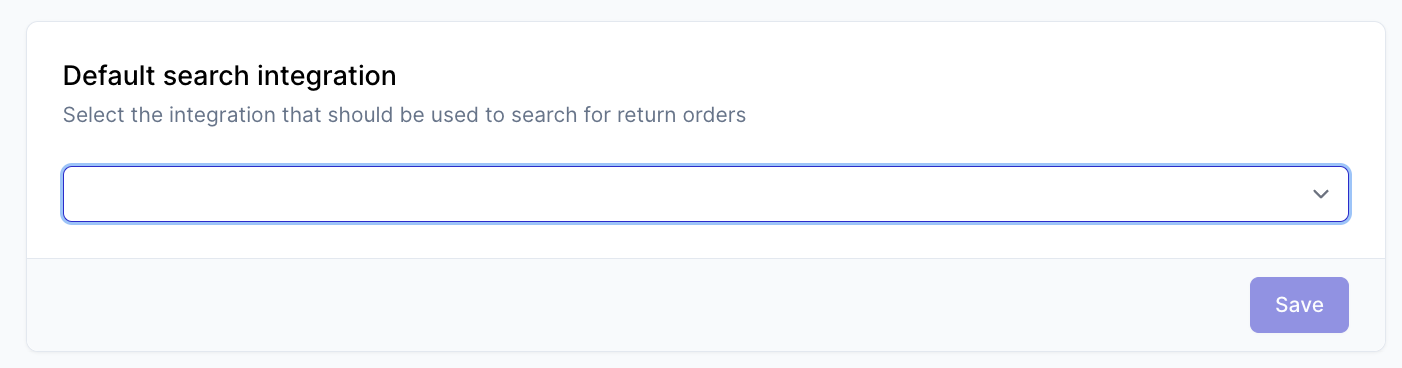
Only a single integration will be used as the main source for the orders. If consumers need to look up the order in JTL Wawi, make sure to set this in the default search integration setting. Doing this will automatically enable the Search order feature in the integration features overview for the integration.
Enable features
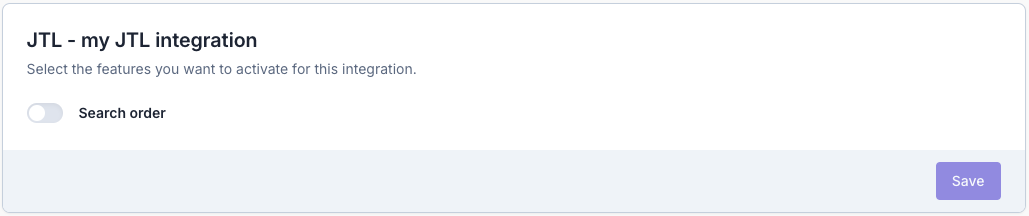
Other features can be toggled in the same overview. Scroll down to the JTL Wawi section. Here you will see all available features and whether they are on or off. If you want to enable or disable a feature you can change it here and then click on Save.
Search order
only available with JTL Wawi version 1.9.0.0 and up
With the search order feature, consumers will be able to find their order in the Returnless return form by using their order number.
As the JTL Wawi integration does not have support for images yet, consumers will not be able to see product images in the return form when using this integration as the default search integration.
Search order settings
| Setting | Description | Options |
|---|---|---|
| Validation method | What field should the consumer fill in when looking up the order | Email address, Postal code |
| Order search field | Which field in JTL Wawi represents the order number that is known by the consumer. | External order number, Order number |
| Allowed item types | Which item types will be shown in the return form. The selected item types will be shown. Any item that does not have the given item type, will not be shown in the return form. | item (default), Blank, Shipping, Coupon, Voucher, Payment, Shipping surcharge, New customer coupon, Cash on Delivery, Shipping surcharge item, Packing, Gift for free, Trusted shops, Interest premium, Processing fee, Carton, Return delivery, Multi purpose voucher, Multi purpose voucher digital, Single purpose voucher, Single purpose voucher digital, Single purpose voucher redemption. |
Create return
Important: When using JTL Wawi 1.10 in combination with fulfilment network, the create return action can trigger a bug in JTL Wawi that will cause a problem with syncing data between JTL Wawi and Fulfilment network. This issue has been resolved in JTL Wawi version 1.11. We strongly advise to update to JTL Wawi 1.11 before using the create return feature when also using fulfilment network.
To start using the create return feature, JTL Wawi 1.10.10.0 or later is required. If you previously connected your JTL Wawi with a version that is lower than 1.10.10, you need to set up the integration again so that the correct scope can be provided.
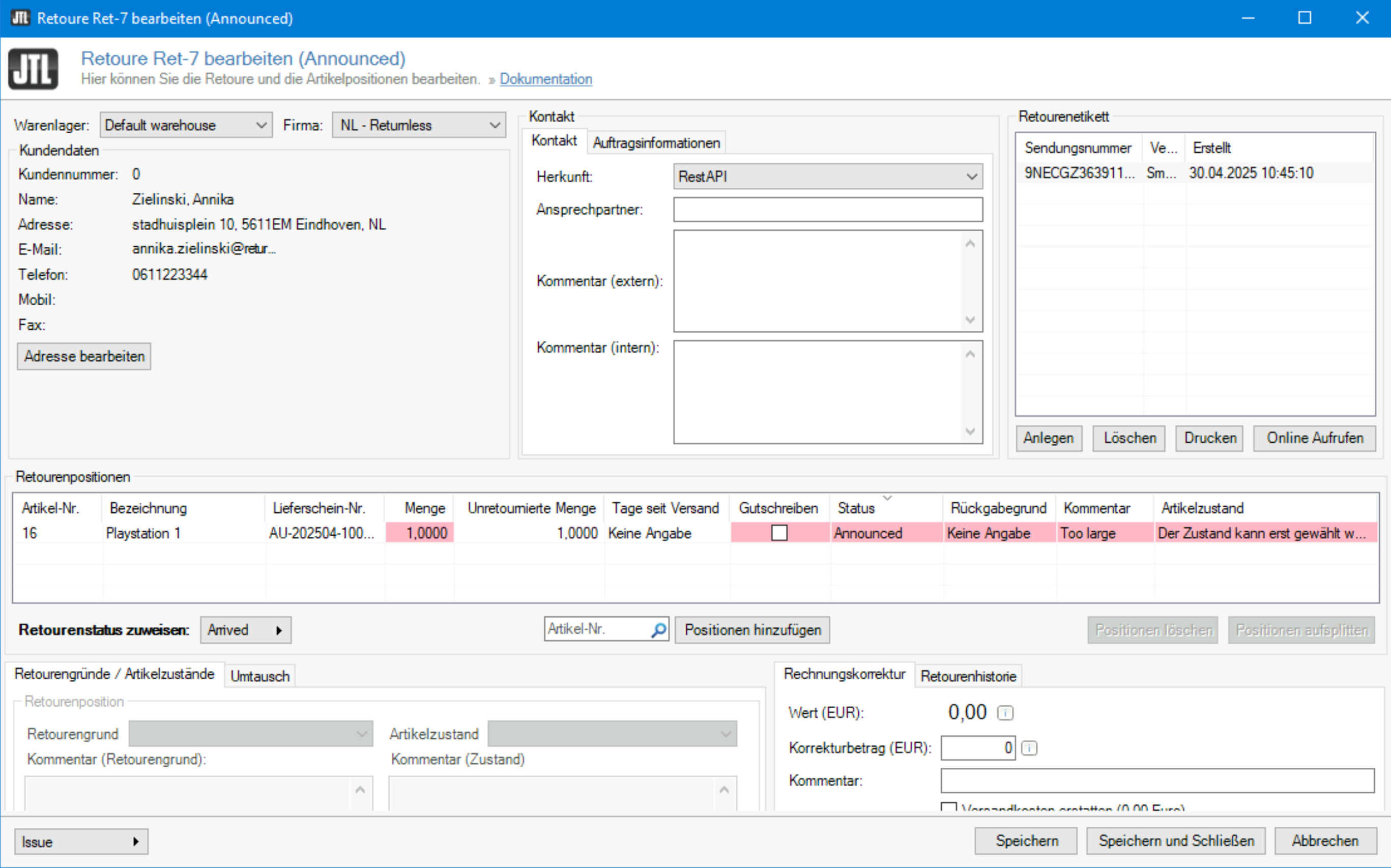
The create return feature creates a return in JTL for all items that have a Qty received that is higher than 0. When triggering the feature again, a new return will be created which does not consider the previously created return.
The created return will get status Announced and be linked to a Warehouse in JTL Wawi. To make sure the correct warehouse is linked, a mapping is provided.
The return reasons for each item in the return will be mapped to the return reasons in JTL Wawi. A mapping is provided in the settings to make sure the correct return reason is used.
Create return settings
| Setting | Description | Options |
|---|---|---|
| Default warehouse | The warehouse that should be passed to which the return is being sent as the default when the mapping is not set up. | A list of warehouses that have been set up in JTL Wawi |
| Default return reasons | Which return reason should be passed in the created return as the default when the mapping is not set up. | A list of return reasons that have been set up in JTL Wawi |
If the warehouses or return reasons in your JTL Wawi have changed, click Refresh integration data to fetch the current available warehouses and return reasons in JTL Wawi.
Mapping
It is possible to map a specific return address or return reason to the counterpart in JTL Wawi. For this, a mapping is provided for both the warehouses and return reasons. If the mapping record is empty, the default setting is used as fallback.