Prefilled Return Links & QR Codes
Provide a seamless return experience by automatically filling in order details for your customers. By using URL parameters, you can bypass the manual lookup step and send customers directly to their specific return request.
In this article:
- Why use prefilled links?
- How to structure a prefilled link
- Generating QR Codes
- Embedding a Lookup Form on Your Site
- Using your own Failure Redirect
Why use prefilled links?
Normally, a customer must manually enter their order number and verification (email or zip code). Prefilled links eliminate this friction, reducing support tickets and typos.
Common use cases include:
- A "Start Return" button on the customer’s "My Account" page.
- A "Cancel order" or "Withdrawal" button on your webshop (required by Directive (EU) 2023/2673).
- A direct link in an Order Delivered email.
- A QR code printed on the packing slip inside the box.
How to structure a prefilled link
A prefilled link is created by adding specific parameters to your base Returnless URL.
The standard format is:
https://<your-form-url>/<locale>?order_number=<value>&email=<value>
Available Parameters
You can use any combination of the following variables:
| URL Parameter | Description | Example |
| order_number | The unique order reference from your shop. | ORD-1234 |
| Customer email used during checkout. | customer@email.com | |
| postcode | Shipping or billing zip code. | 5611EM |
| external_customer_id | Your system's unique internal ID for that user. | customer_992 |
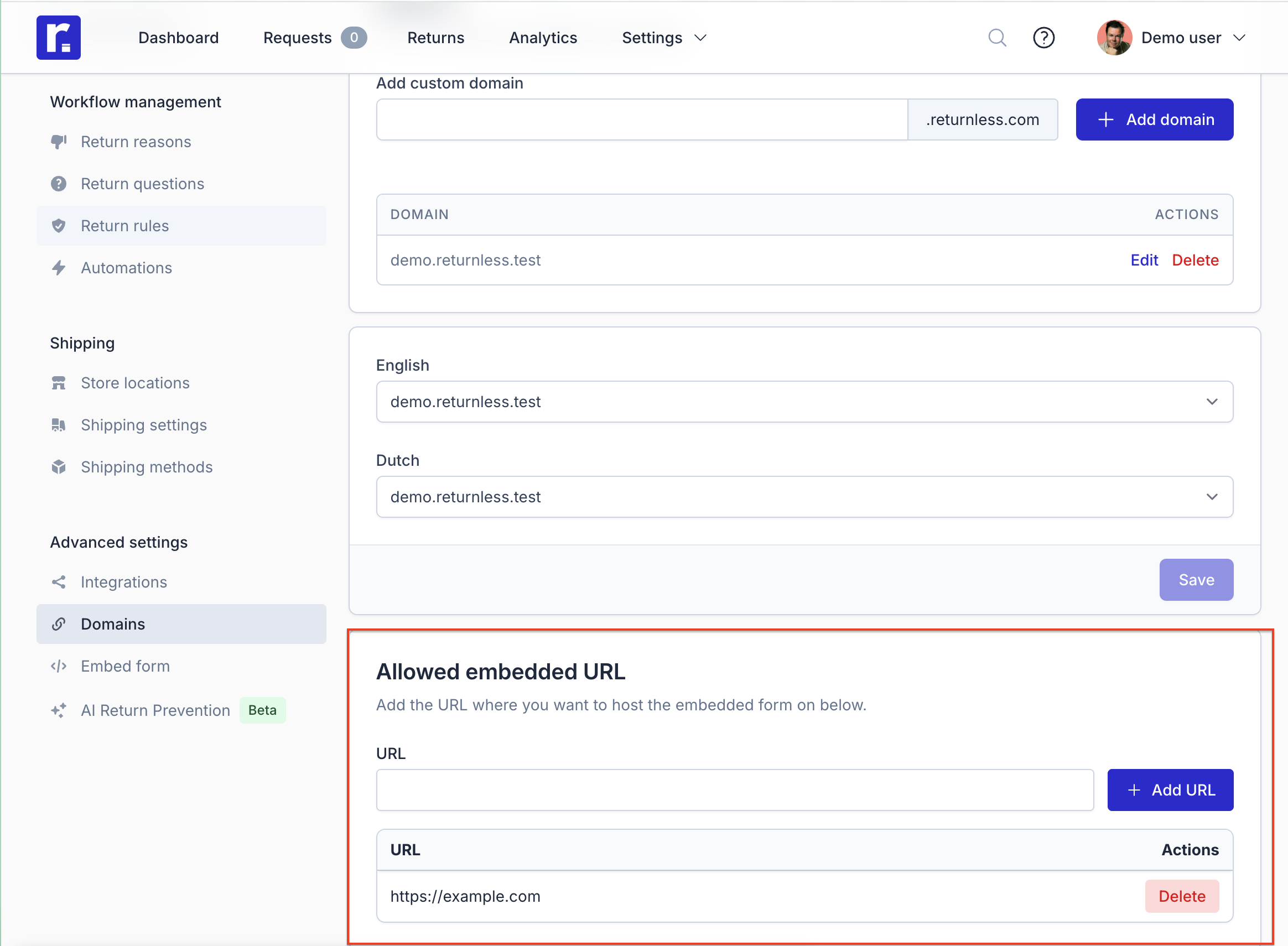
| failure_redirect_back | We will redirect back to this url when something goes wrong while searching for the order. (This URL needs to be added to your allowed domains in the Returnless panel) | https://example.com |
Example Link: https://travelshop.returnless.com/en?order_number=ORD000123&email=your-customer@gmail.com
Generating QR Codes
QR codes are the most effective way to bridge the gap between a physical package and your digital return form.
1. Using a Library
If you have a custom-built shop, your developers can use standard QR libraries (available for PHP, Node.js, Python, etc.) to generate these images locally.
2. Using the Google Chart API
For a quick, "on-the-fly" solution, you can use the Google Chart API to generate a QR code dynamically. Use the snippet below in your packing slip template:
API URL Format:
https://chart.googleapis.com/chart?chs=200x200$cht=qr&choe=UTF-8&chl=<your-prefilled-link>
HTML Implementation:
<img src="https://chart.googleapis.com/chart?chs=200x200&cht=qr&choe=UTF-8&chl=https://travelshop.returnless.com/en?order_number=ORD000123&email=your-customer@gmail.com" alt="Scan to Start Return">
Embedding a Lookup Form on Your Site
If you prefer to host the "Order Lookup" step on your own website rather than sending users directly to Returnless, you can use a simple HTML form.
When the user clicks "Find Order," the form will redirect them to your Returnless page with the parameters already attached.
Code Snippet: Replace <return_form_url> and <locale> (e.g., en) with your specific details.
<form action="https://<return_form_url>/<locale>" method="GET">  <label for="order_number">Order Number</label><br>  <input type="text" required id="order_number" name="order_number" placeholder="e.g. ORD-123" /><br><br>   <label for="email">Email Address</label><br>  <input type="email" required id="email" name="email" placeholder="e.g. name@email.com" /><br><br>   <button type="submit">Find My Order</button>
</form>
Using Your Own Failure Redirect
If you prefer to handle errors on your own form, you can pass the failure_redirect_backparameter.
This needs to be a valid URL. We will then redirect back to this URL whenever something goes wrong while searching for the order. When redirecting back to you, we pass along the reason what went wrong.
We only redirect back to domains you have configured for your return form. This can be done within your Return form - Advanced settings - Domains.