Meeting the "Right of Withdrawal" requirements
Since June 19, 2026, new EU legislation requires online retailers to make canceling an order just as easy as placing one. To help you stay compliant, Returnless has introduced the Withdrawal Request workflow.
This feature allows customers to request a cancellation directly through your return portal, giving your team a window to stop fulfillment and prevent unnecessary shipping costs before the package leaves the warehouse.
In this article:
How it works
The Withdrawal Request workflow bridges the gap between a customer "changing their mind" and the package being shipped.
- Detection: Using a return rule, the portal checks if the order has been fulfilled yet. If not yet fulfilled, the return enters a specific withdrawal-request-pending state.
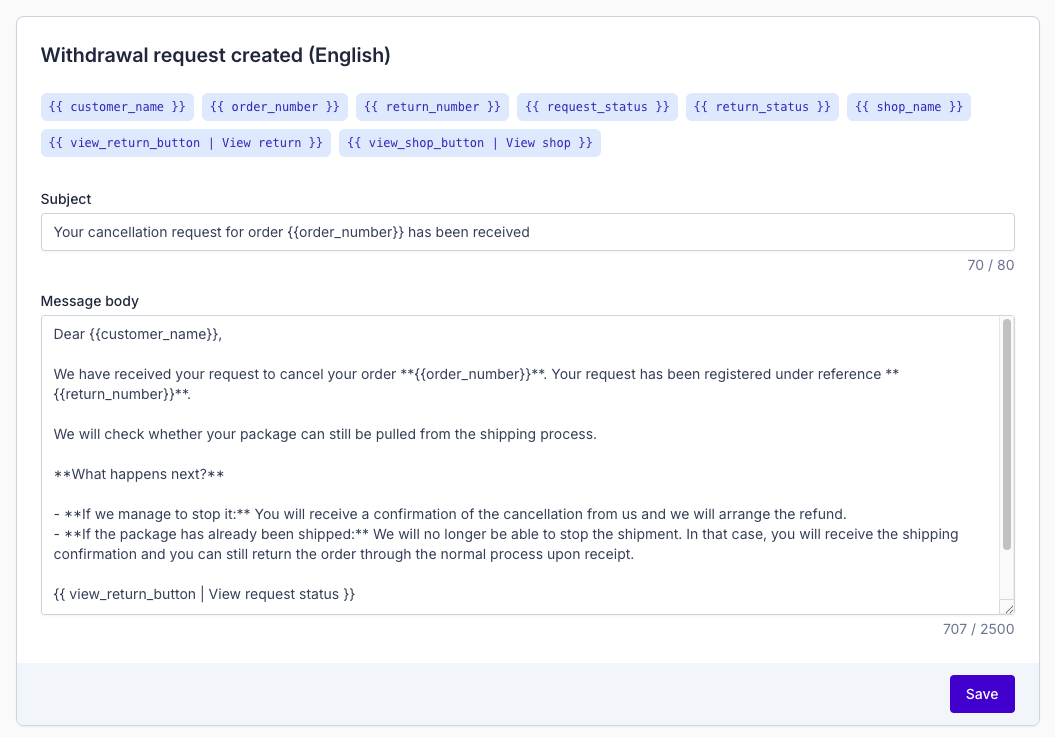
- Communication: The customer receives a specific "Withdrawal Request" email instead of a standard return confirmation, and sees tailored instructions in the portal.
- Control: These requests appear in your Requests overview, allowing you to manually intervene in the shipping process.
Setting up the Return Rule
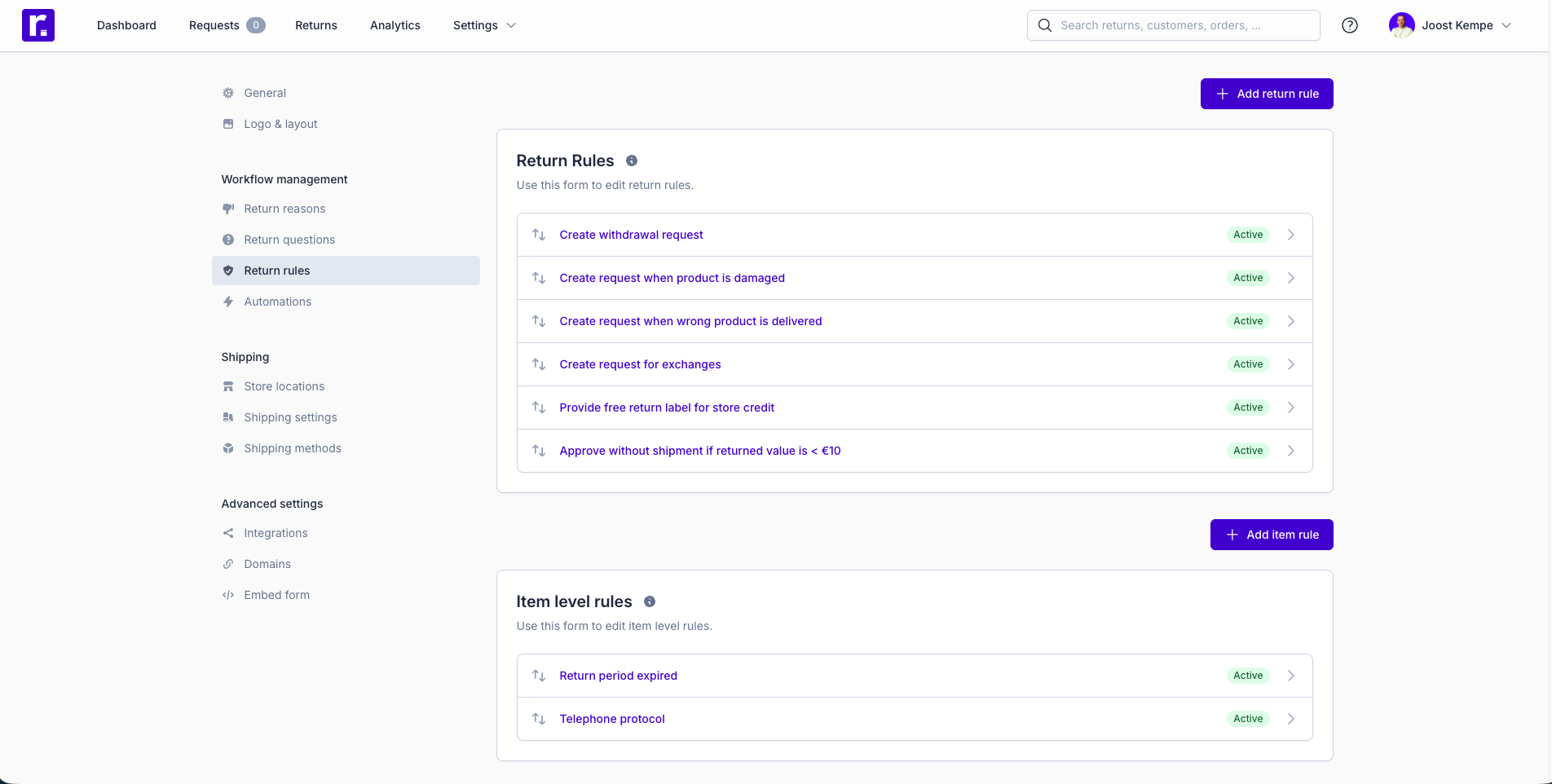
While Returnless has already pre-configured default email templates and instructions for you, you must manually create the return rule to activate this logic.
Step 1: Create the Rule
- Navigate to Settings > Return Rules.
- Click + Add return rule.
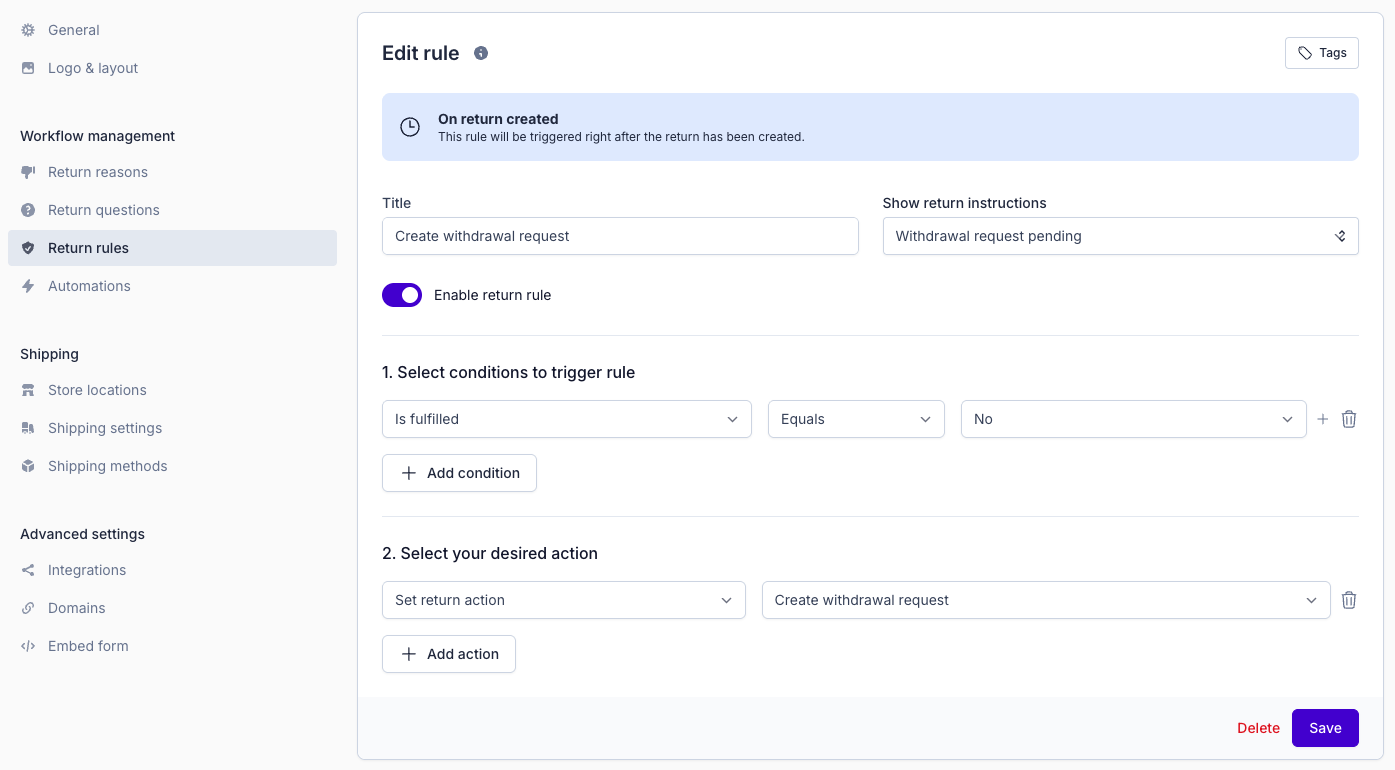
- Title: Name it something clear, like "Create withdrawal request."
- Show return instructions: Select Withdrawal request pending from the dropdown.
Step 2: Set the Conditions
To ensure this only triggers for orders that haven't left your warehouse yet:
- Add Condition: Is fulfilled | Equals | No.
- Note: If your integration does not support fulfillment tracking, you can use the "Sales order status" condition as an alternative.
Step 3: Set the Action
- Under Select your desired action, choose Set return action.
- Select Create withdrawal request.
- Click Save.
Using Shopify? For the "Is fulfilled" condition to work correctly, you need to enable Allow unshipped orders in your Search order settings in the Integration Settings.This gives Returnless permission to look up orders that haven't been shipped yet.
Managing Withdrawal Requests
Once a customer submits a withdrawal request, it will appear in your Requests overview.
Your Workflow:
- If you can stop the shipment: Process the request and select Approve without shipment. This allows you to refund the customer immediately without a return package being involved.
- If it’s too late to stop the shipment: Approve the request normally. This converts the request into a standard return, providing the customer with a label to send the package back once they receive it.
Customizing Templates
We have provided default content that complies with the new directive, but you can customize the tone and branding at any time:
-
Emails: Edit the "Withdrawal request created" template in Email templates.
-
Portal Instructions: Edit the "Withdrawal request pending" text in Return instruction templates.
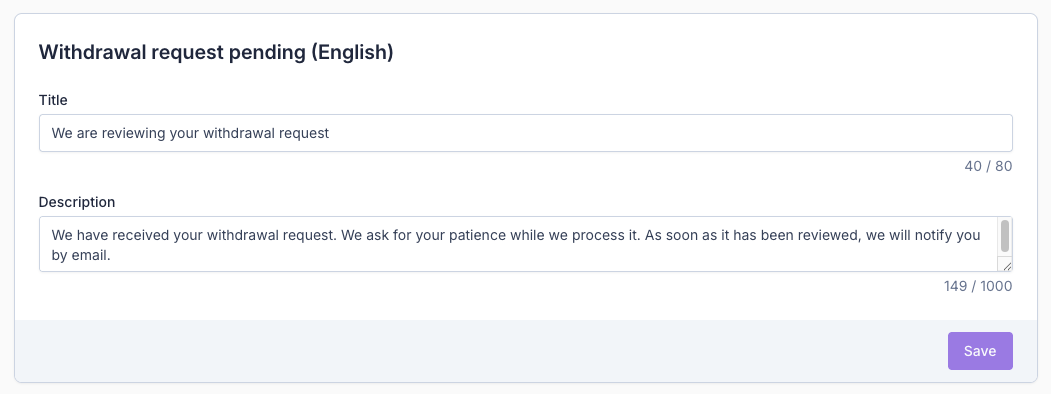
Tip: Ensure your "Withdrawal request pending" instructions clearly explain that your team is checking if the shipment can still be stopped to manage customer expectations.