About the home dashboard
The Dashboard is the landing page of your Returnless panel. It gives you a clear overview of your return activity and helps you quickly understand how your returns are performing.
How to navigate to the Dashboard
- Log in to your Returnless panel.
- Click Dashboard in the top-left corner of the navigation menu.
This will take you directly to the main overview screen.
Summary of your returns
At the top of the Dashboard, you’ll find a visual summary showing:
- The total number of returns.
-
The distribution of returns by status (such as pending, approved, denied, refunded, etc.).
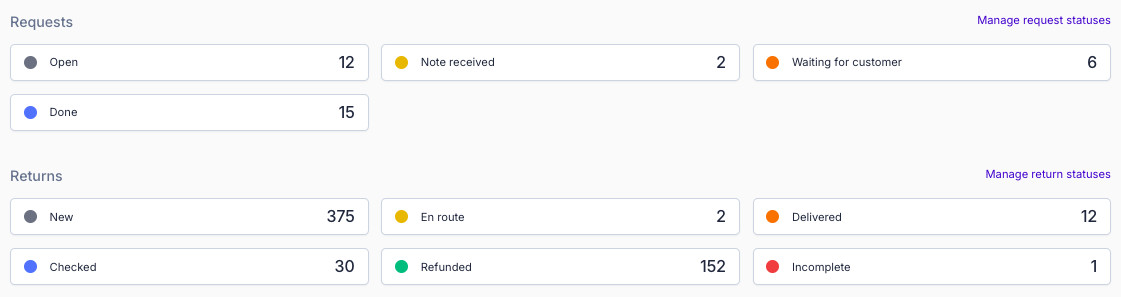
This allows you to get an instant understanding of your current return flow.
Dashboard statistics
At the bottom of the Dashboard, you can find additional insights into your return volume:
- Returns created today
- Returns created yesterday
- Returns created in the last 30 days
-
Pending return requests
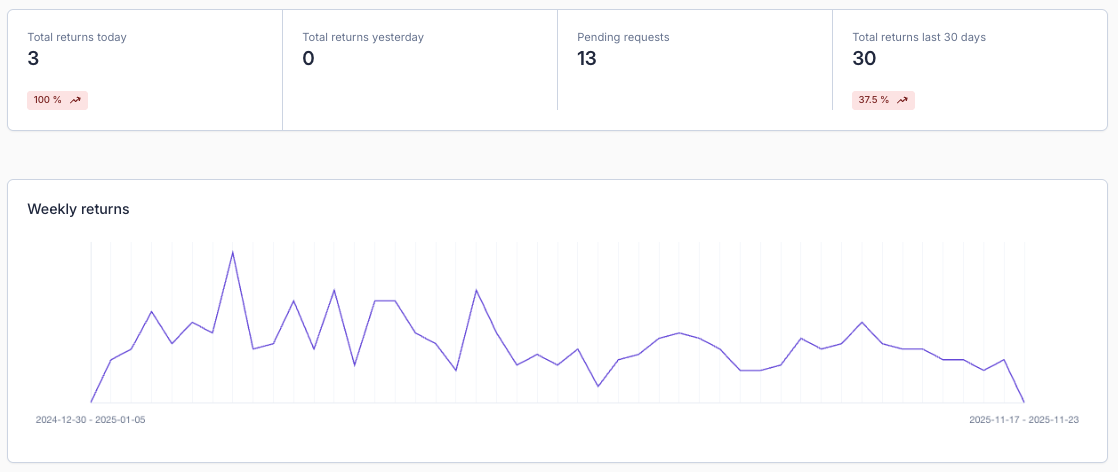
These statistics help you monitor trends, identify busy periods, and keep track of requests that still need attention.