Performance analytics
The Performance Analytics page provides insights into all actions performed in Returnless while handling your returns. It clearly distinguishes between manual actions taken by team members and automated actions handled by workflows or system rules. This helps you understand how efficiently your return process is running and where you may still rely on manual work.
How to access Performance Analytics
- Log in to your Returnless panel.
- Navigate to Analytics in the main menu.
- Open the Performance tab.
About Performance Analytics
In this section, you can view a complete summary of all actions and state updates triggered throughout the handling of return requests.
Returnless highlights whether each action was:
- Manual — performed by a team member
- Automated — performed by Returnless automation
This makes it easy to evaluate how well your automations are working and identify remaining manual steps.
Filters and date range
At the top of the page, you can select a date range. All analytics shown will reflect the data within that selected timeframe.
Available filter:
- Return form — filter analytics based on the return form used.
These filters help narrow down insights to specific workflows or return flows.

Manual vs Automated overview
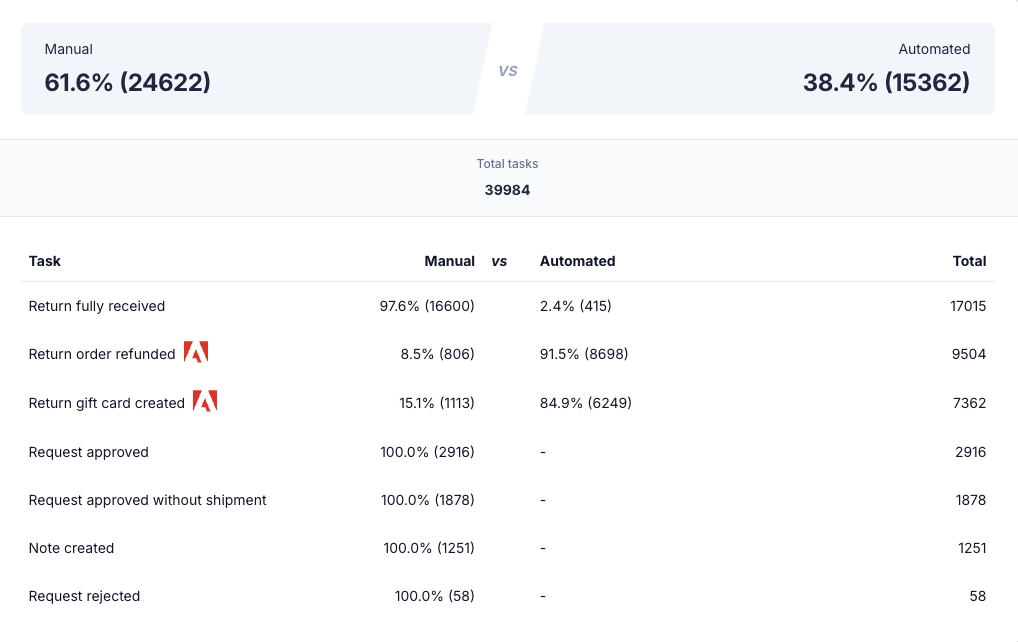
This overview shows how often each action type and request state update has been performed:
- Manually
- Automatically
- In total
This provides insight into which steps are already automated and which steps still require human intervention. It is useful for identifying opportunities to expand automation and reduce manual workload.
Request state updates overview
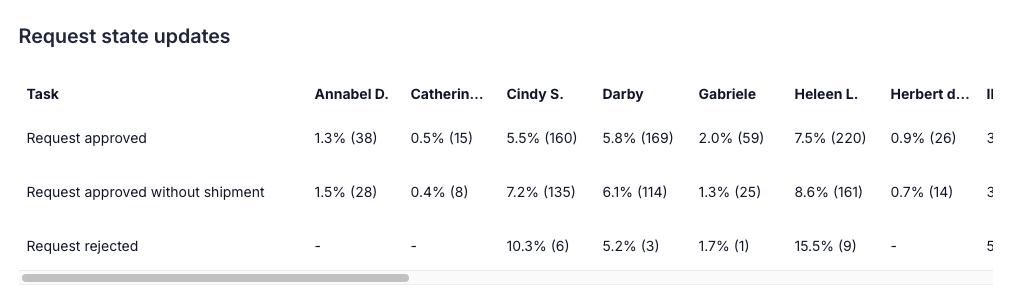
This section is similar to the Manual vs Automated overview, but with key differences:
- Manual steps are grouped per user in your Returnless account.
- Only request-related events are shown.
This helps highlight which users contribute most to updating request states, providing insights into team involvement and identifying key users who may help optimize request-handling processes.
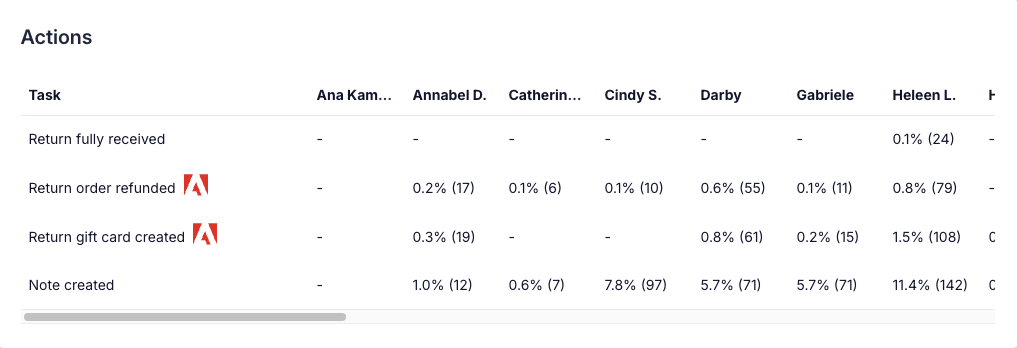
Actions overview
The Actions overview is also similar to the Manual vs Automated overview, but focused specifically on actions related to handling returns.
Key characteristics:
- Manual steps are grouped per user.
- Only actions directly related to processing returns are shown.
This allows you to understand which team members are most engaged in processing returns and where further automation may reduce manual effort.