Custom shipping integration (API)
While Returnless offers a wide range of shipping carriers and methods, you may want to connect a carrier not yet in our library or use your own delivery fleet. The Open Shipping Integration (API) allows you to bridge Returnless with any custom transportation network.
In this article:
Key Features
- Custom Carriers: Connect any carrier with an accessible API.
- Own Fleet: Perfect for merchants managing their own pick-up and delivery services.
- Dynamic Pick-ups: Display real-time pick-up timeslots to customers during the return process.
- Surcharges: Incentivize specific timeslots by adding custom fees.
How to install & setup
To add a new Open shipping integration, follow these steps:
- Log in to your Return panel and navigate to the Integrations menu.
- Select the Shipping contracts tab.
- Click the Add shipping contract button and select Custom.
- In the modal window, enter the configuration details as outlined below.
Configuration Parameters
| Parameter | Description | Example |
| Contract name | Internal name for your reference. | Local Courier Service |
| Description | A brief description of the carrier service. | Same-day pick-up service |
| Enable contract | Toggle to make the contract active immediately. | Enabled |
| Create shipment URL | The endpoint to create a new shipment. | https://api.yourstore.com/shipments |
| Get label URL | The backup endpoint to retrieve labels. | https://api.yourstore.com/label |
| Get pick-up timeslots URL | The endpoint to fetch available pick-up times. | https://api.yourstore.com/timeslots |
| Basic auth credentials | Username/Password for API authentication. | user / password |
| Carrier name | The name customers will see in the portal. | Store Pick-up |
| Carrier image | A URL to the carrier logo (PNG/SVG). | https://yoursite.com/logo.png |
Note: Returnless automatically removes trailing slashes from all endpoint URLs upon saving.
Technical Specifications
1. Request: Create Shipment
When a customer selects your custom method, Returnless sends a POST request to your Create shipment URL .
Request Highlights:
- Includes
return_id,customer_address, andreturned_products. - Includes
time_slotdata if a pick-up was selected.
Expected Response (200 OK):
Your API must return a JSON object containing the tracking_number and a label_contents_pdf (Base64 encoded).
{
    "tracking_id": "shipment_abc123",
    "tracking_number": "TRK987654321",
    "barcode_option": "M193FJWOE",
    "tracking_url": "https://tracking.yourstore.com/TRK987654321",
    "label_contents_pdf": "--BASE64--ENCODED--PDF--"
}
2. Request: Pick-up Timeslots
If configured, Returnless will fetch available timeslots via a POST request to your Get pick-up timeslots URL when the customer reaches the shipping selection step.
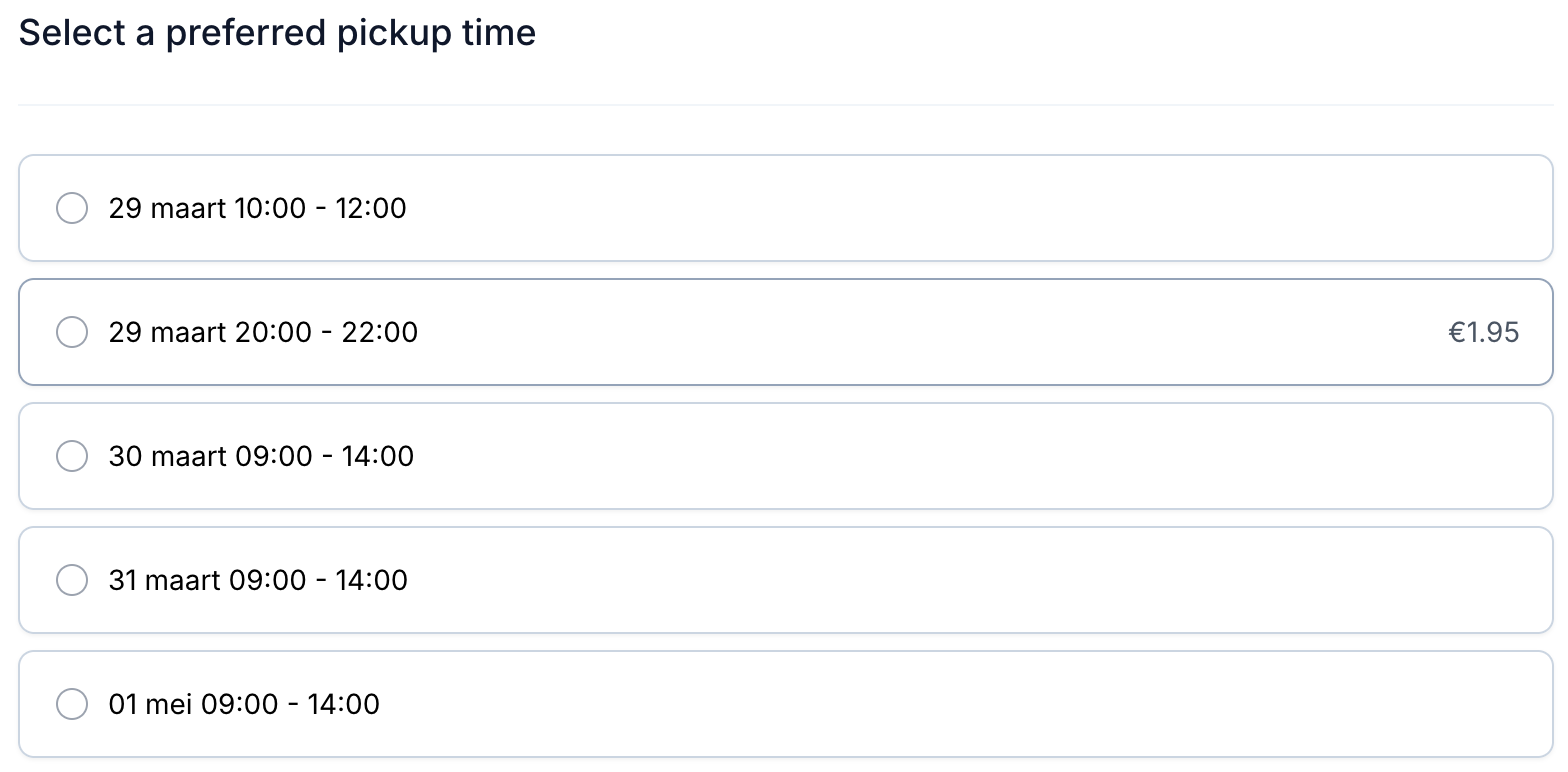
Expected Response (200 OK):
An array of available slots with optional surcharges (in cents).
[
  {
    "from_datetime": "2026-03-01 10:00:00",
    "to_datetime": "2026-03-01 12:00:00",
    "surcharge": {
      "amount": 250,
      "currency": "EUR"
    }
  }
]
Error Handling
If your API returns any status other than 200 OK , Returnless will display an error to the user. To provide a better user experience, return a JSON body with a human-readable message:
Example Error (400 Bad Request):
{
    "error": "This shipping method is not available for addresses in Belgium."
}
Next Steps
When you've successfully added an Open shipping integration, you will be able to add the shipping method to your return forms. See our guide on Adding custom shipping methods to finalize your setup.