Connecting JTL Wawi and Returnless via JTL Cloud
JTL is an ERP system designed for small and medium-sized businesses, especially those operating online stores. It integrates with multiple sales channels, manages inventory, orders, shipping, and offers financial reporting and customizability.
You can connect your JTL Wawi using the JTL Cloud for a seamless integration.
Activating the Returnless app
This guide provides step-by-step instructions for activating and launching the Returnless app within the JTL Cloud environment.
🚨 Important: To ensure a smooth connection between JTL Wawi and Returnless, you'll first need a JTL Cloud account. Check out our JTL Cloud setup guide for the configuration steps.
- Log in to JTL Cloud.
-
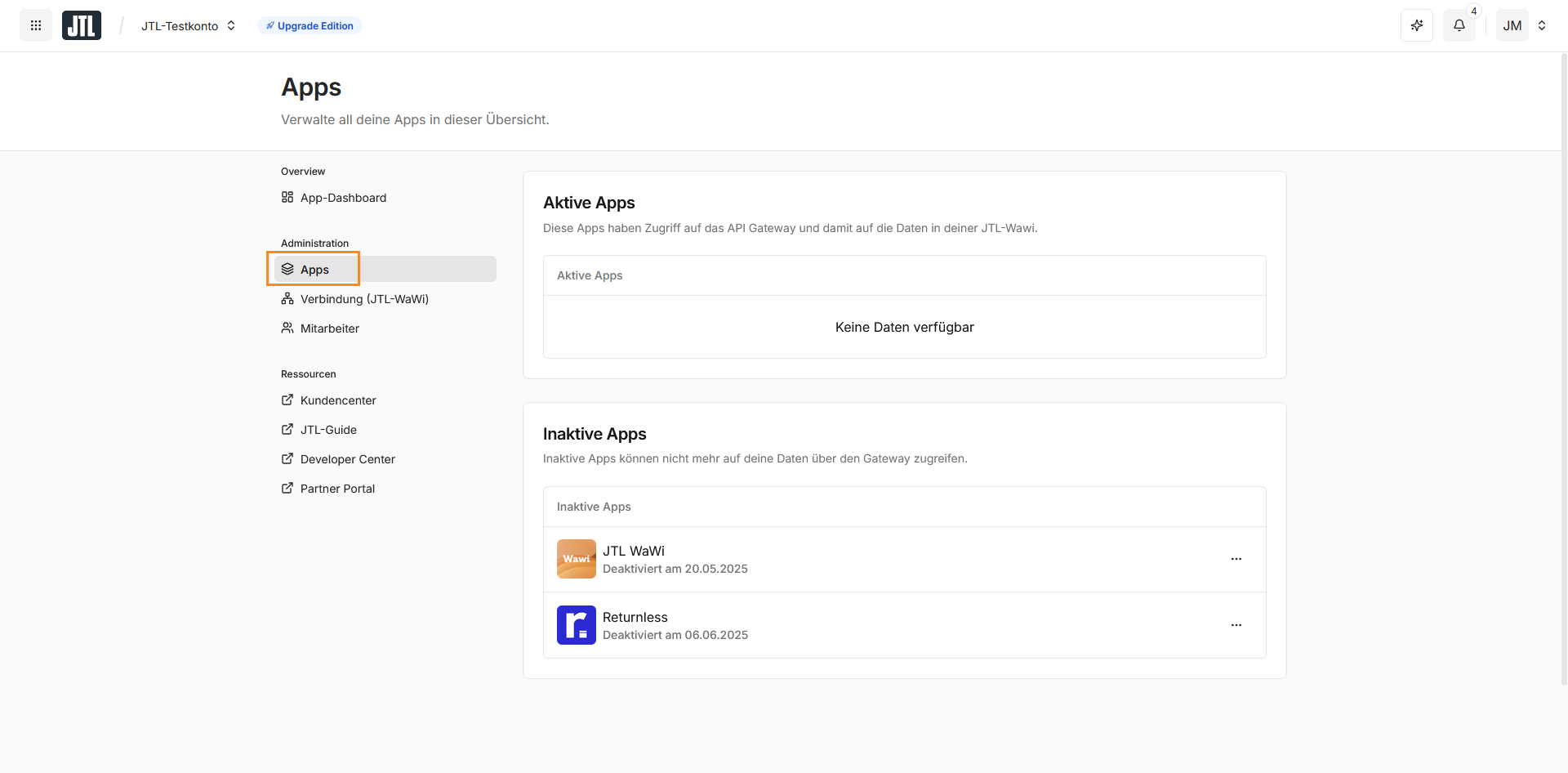
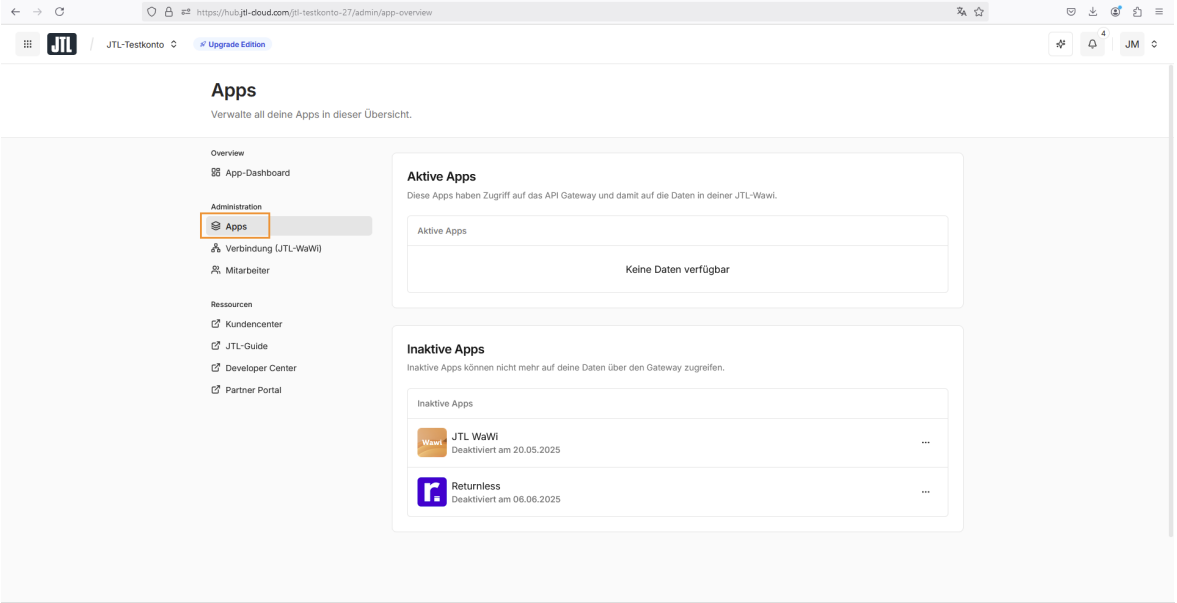
Navigate to the Apps view via the menu structure: Administration > Apps.
-
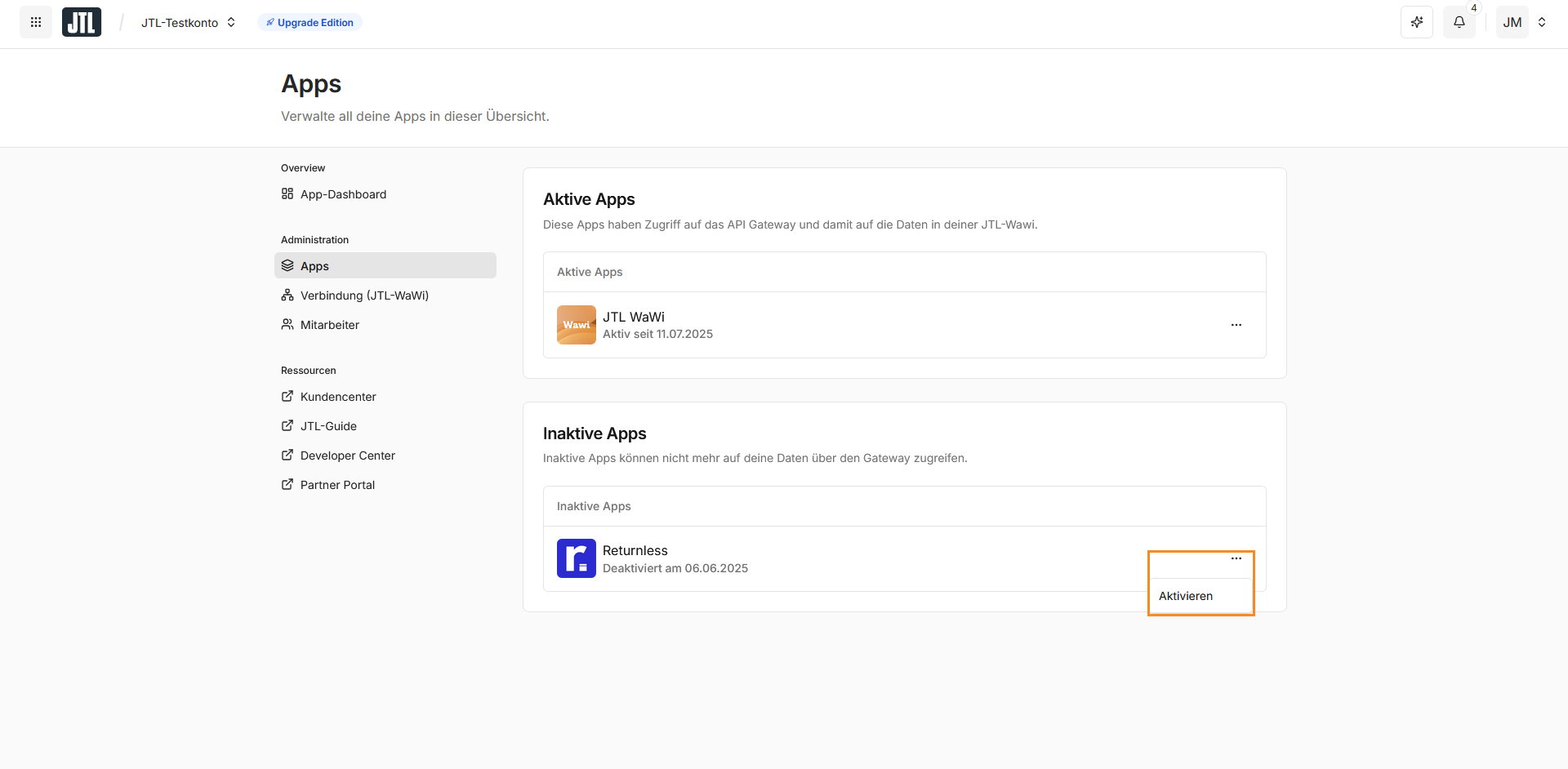
In the Inactive Apps section, click the button on the Returnless app and select Activate.
-
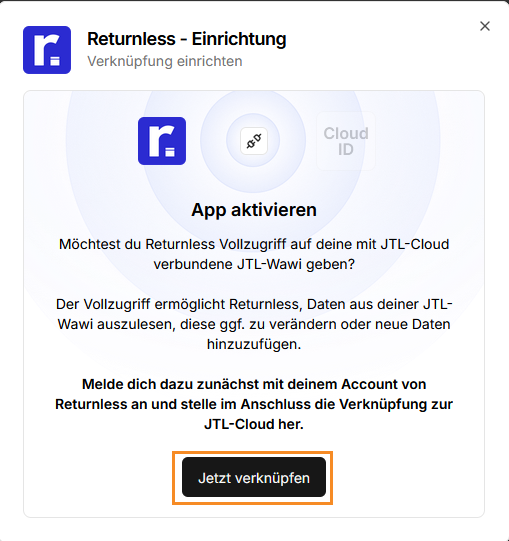
In the "Activate App" dialog window, click the "Connect Now" button (Note: This grants Returnless full access to read, modify, or add data to your connected JTL Wawi).
-
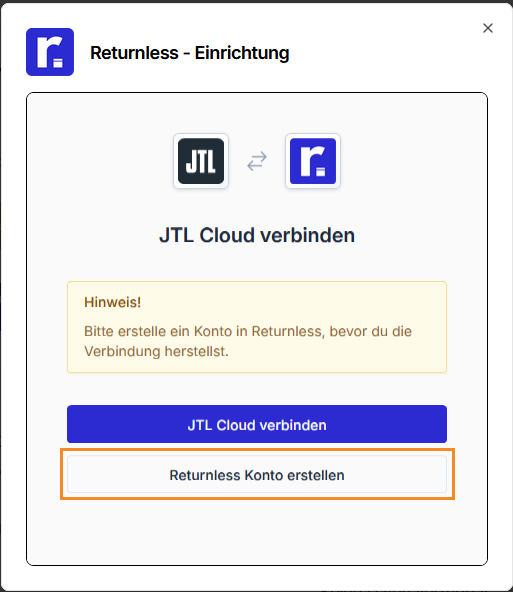
In the "Connect JTL Cloud" window, click Create Returnless Account. (If you already have an account, skip to step 10) .
-
On the registration page, enter your personal details and click Register
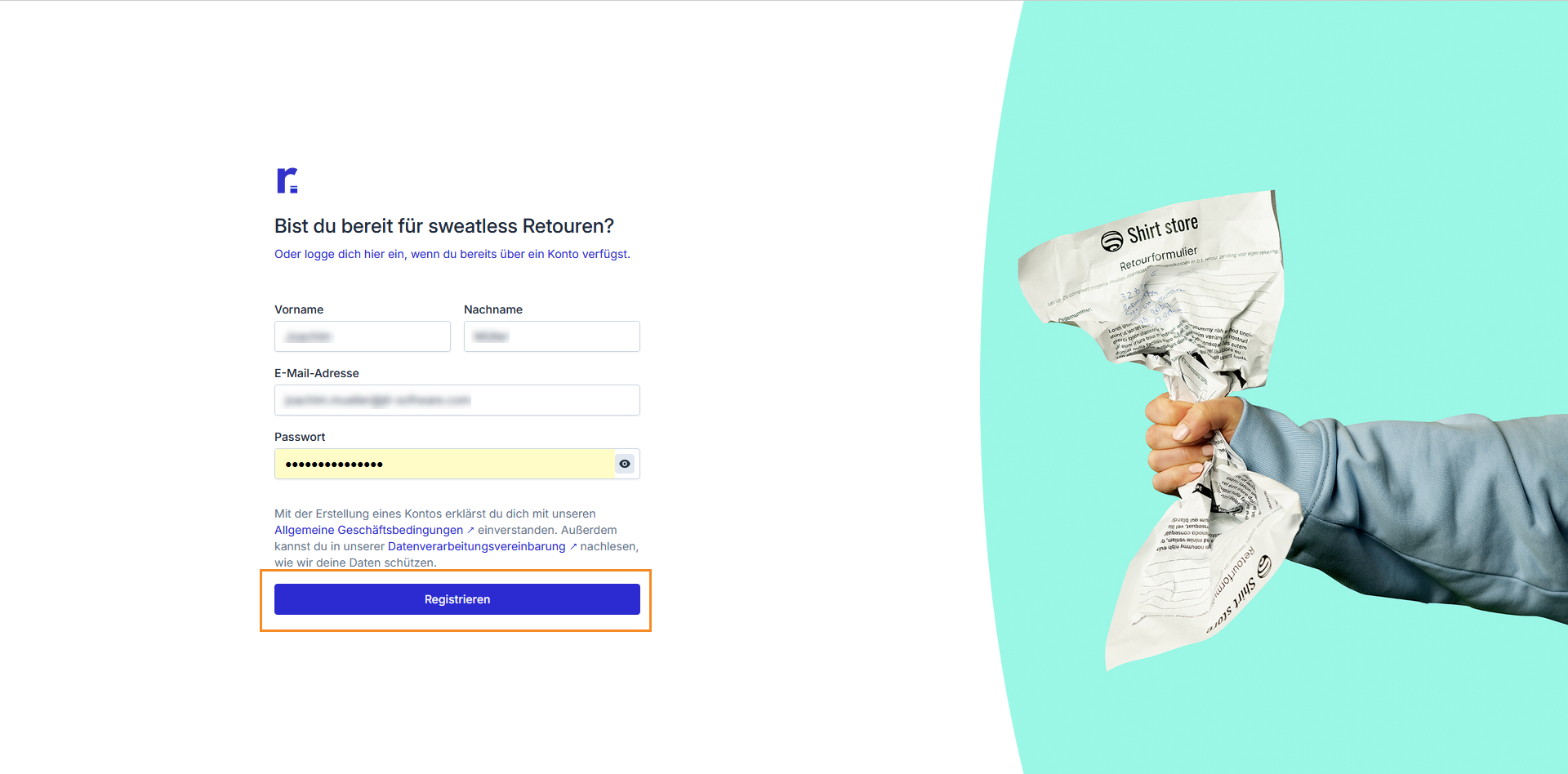
- Follow the on-screen instructions in the "Set up account" window to finalize your Returnless account.
- Once the setup is successful, you can close the Returnless page and return to the JTL Cloud setup window.
-
Click the Connect JTL Cloud button.
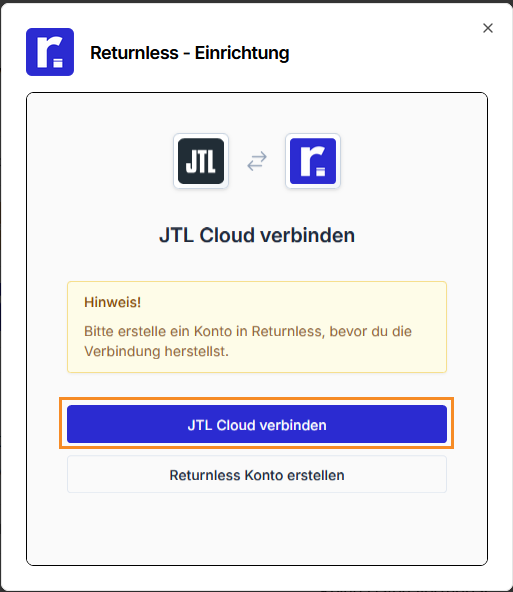
-
Enter your Returnless login credentials and click Log in.
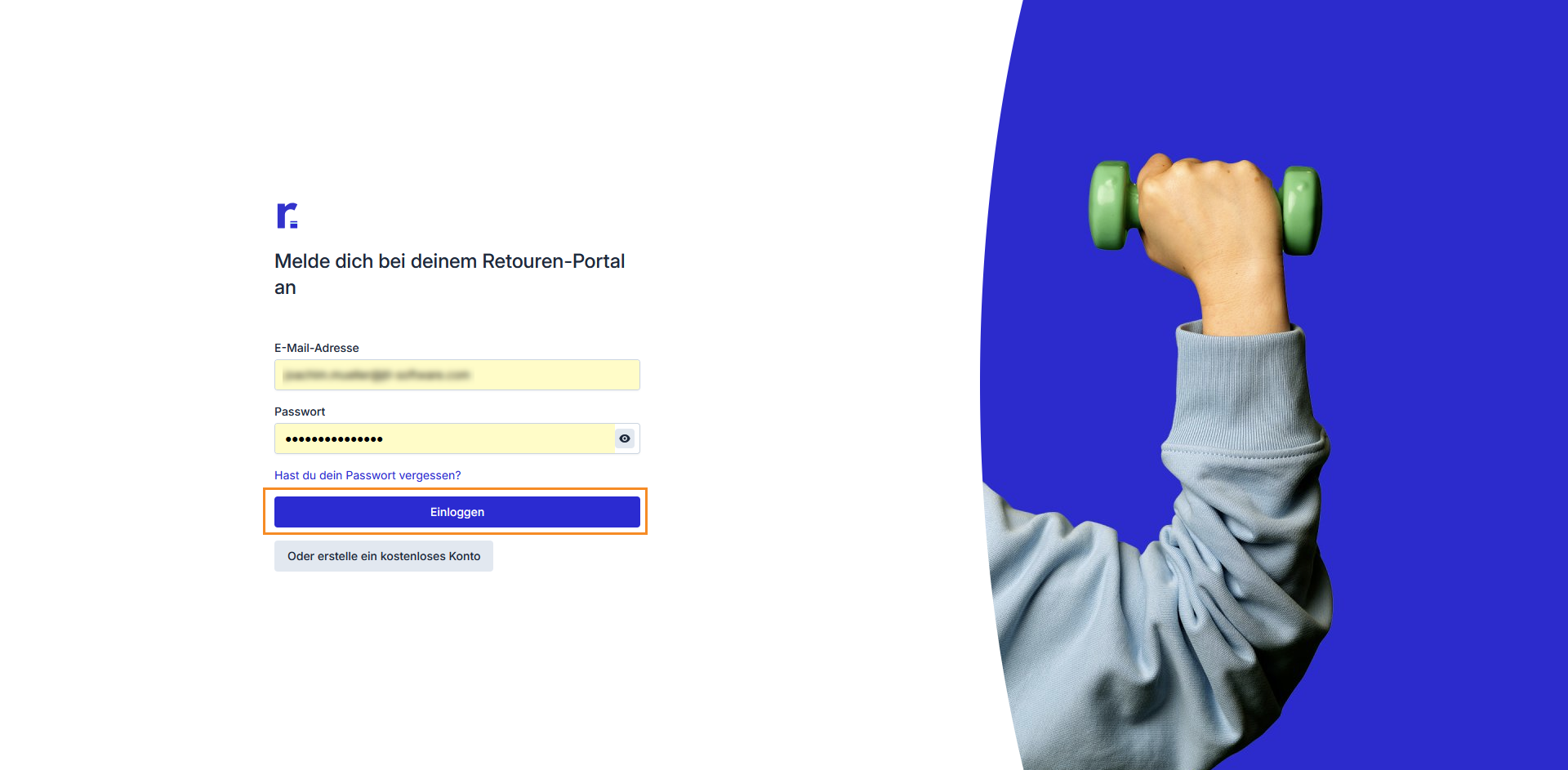
-
Enter a name and description for the integration and click Activate Integration to complete the process.
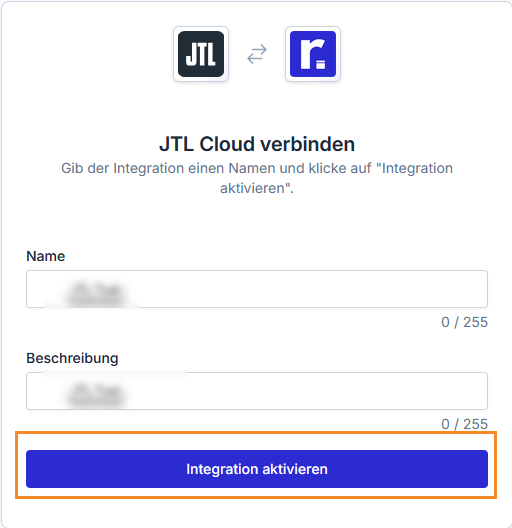
Starting the Returnless app in JTL Cloud
Once activated, you can launch the app at any time:
- Log in to JTL Cloud.
- Navigate to Administration > Apps to open the Apps view.
-
Click on the Returnless app to launch it.
The Returnless app will open in a new browser tab, ready for use or further configuration.
Frequently Asked Questions
Which versions of Wawi are supported?
The JTL Cloud integration is supported from JTL Wawi 2.0.
If you are running on Wawi 1.xx we recommend to upgrade to Wawi 2.0 first. If upgrading is not possible at the moment, you can use our legacy JTL Wawi integration as well.
When I search for an order in the return form, I do not see any product images or item information is missing.
There is a known bug in JTL Wawi 2.0 that causes item information to be missing in Returnless. This issue is resolved in version 2.0.3 and higher. If you are using a version lower than that, you can run the following SQL query in your JTL database to fix the issue:
https://gist.github.com/chris-returnless/40c703d562c363e239c0c47c9dfee773